Role: UX Designer / UX Researcher
Timeline: 24 Hours
Tools: Figma
Team Members: Anabel, Matthew, Bennett, Sidra, Andrew, Varun, Jerry
Team Name: The Shutterbugs

a hackathon
What was the challenge?
Shutterstock has creators that are delivering work using Shutterstock images, videos, music, 3D or tools. How can we create an experience that allows these creators to share their work on Shutterstock.com as a way to inspire others that visit our site?
how will we go about this?
Communication, collaboration, and breaks. Due to the limited 24-hour window, we needed to ensure everyone was on the same page; we also did not encourage burnout.
For this 24-hour hackathon, we were tasked to work with developers to create a design solution for a challenge given to us by Shutterstock.
Where do we even begin?
research!
We ended up splitting the research into four different parts, with one area of focus for each designer. Through our secondary research, we discovered that
The Shutterstock website lacks a feature for creators to show designs made with Shutterstock assets
Shutterstock competitors feature artists contributing stock content but don't showcase creations made with stock content
figuring out our constraints
We had less than 24 hours to go through the design process and share our prototype with the web dev team.
We could not test our product with other users. We also conducted no primary research which consists of user interviews.
Simplifying our design process
Creating a proto-persona based on our secondary research
brainstorming our how might we
After finalizing the details of our persona, we started brainstorming our HMW. We were all working on one document, throwing out ideas until we all agreed on one.
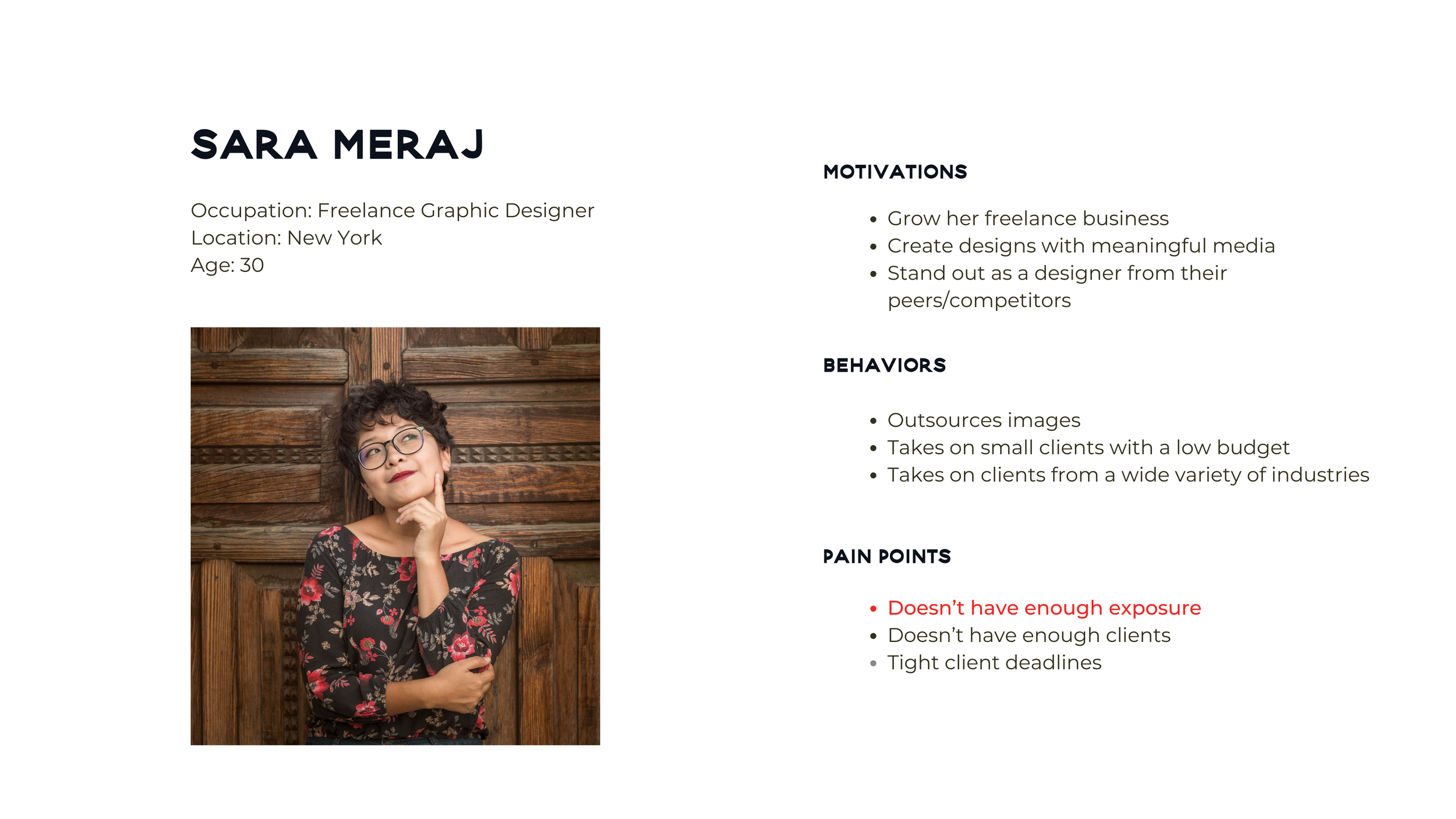
How might we help creators showcase the work they’ve created using Shutterstock so that they can gain exposure from the platform?
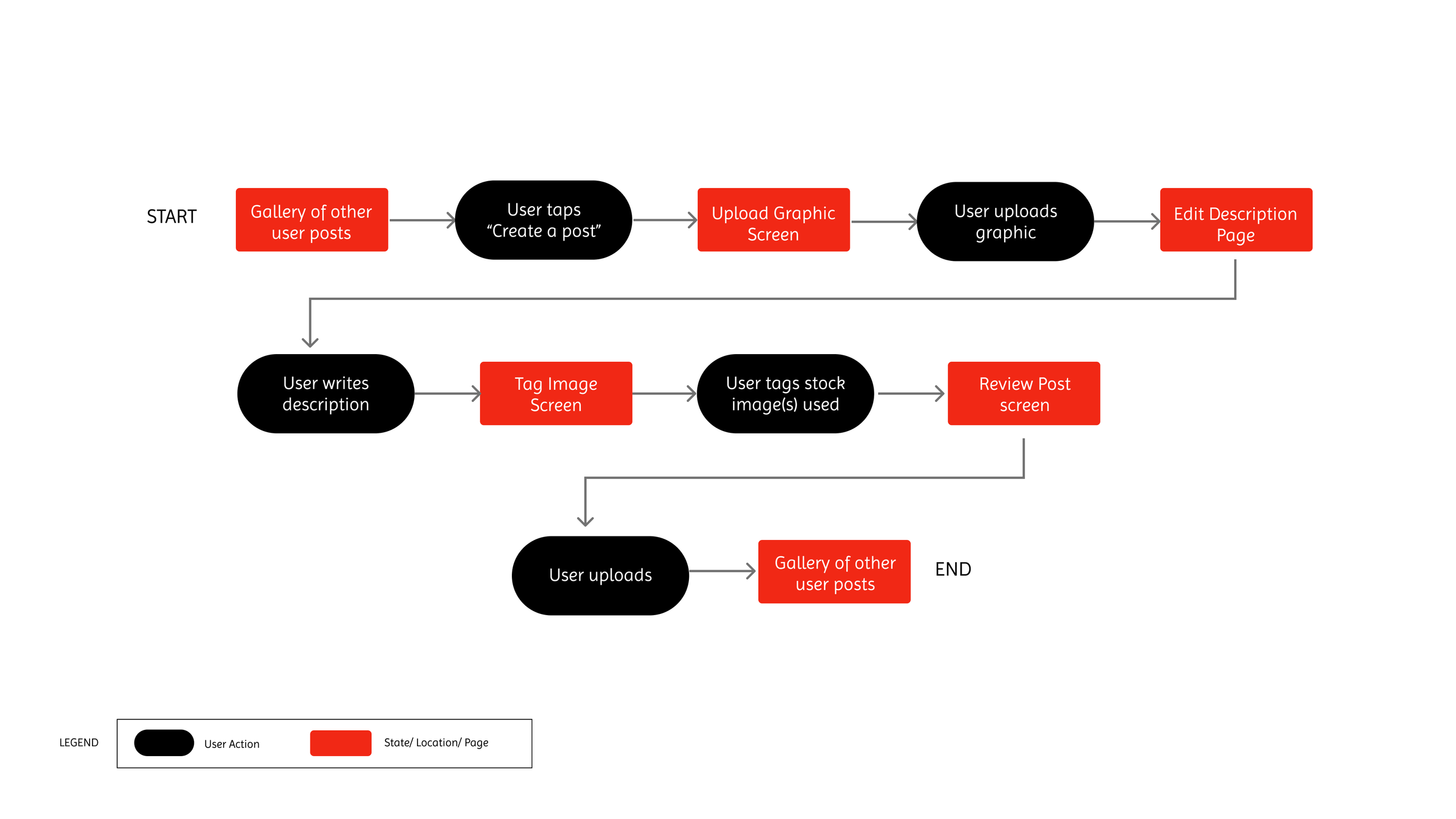
our hmw helped us create a task flow
We created our task flow with the concept of helping Sara create a post, upload it, tag the stock images used, and upload that post to a gallery of other user posts.
Gathering Inspiration
We used a UI board to help us put together inspirational elements for our mobile website and a style guide to continue Shutterstock’s current aesthetic.
developing our prototype
putting concepts together
Before sketching, we talked with the web developers and decided as a collective to create wireframes for a mobile website as it was the more familiar option. We took time to sketch and then voted on the ones we wanted to be part of the prototype.
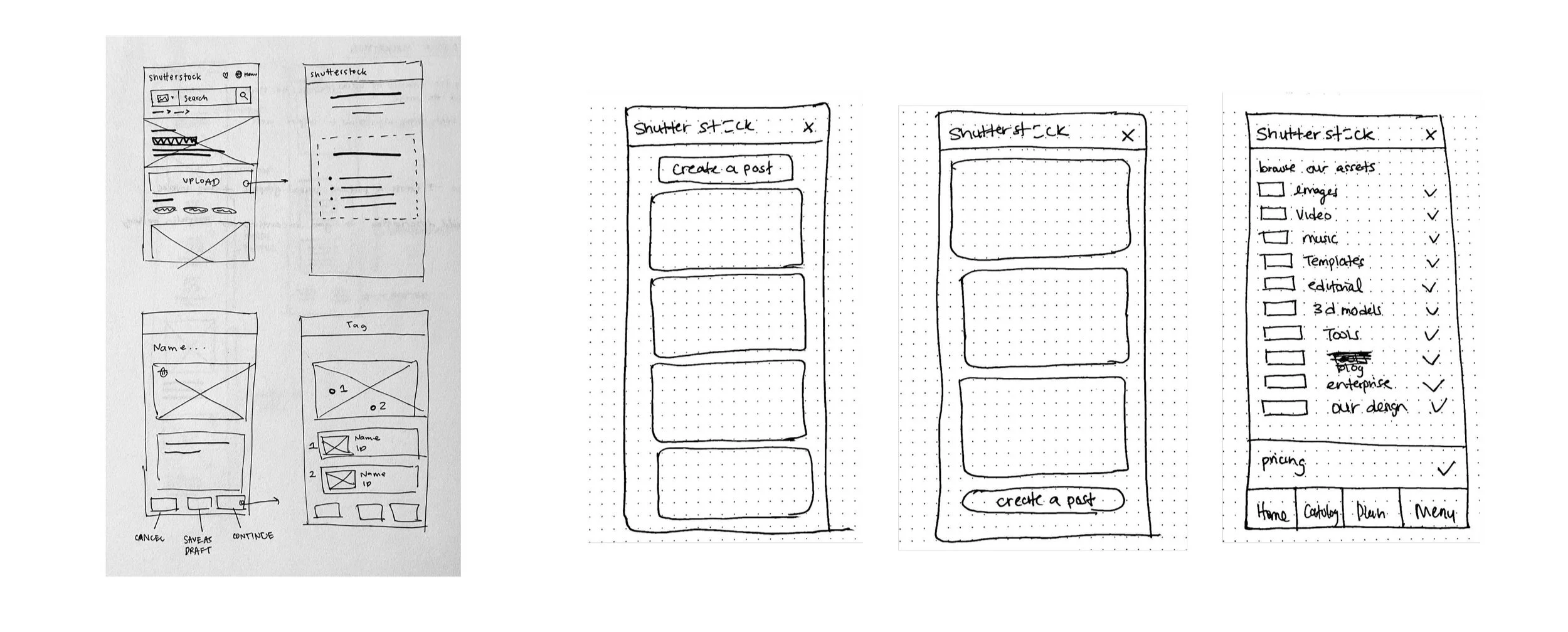
making our wireframes
After solidifying our vision we got to work on our high-fidelity wireframes and presentation. Our wireframes had to be complete by morning for the developers.
the handoff
The feature we designed
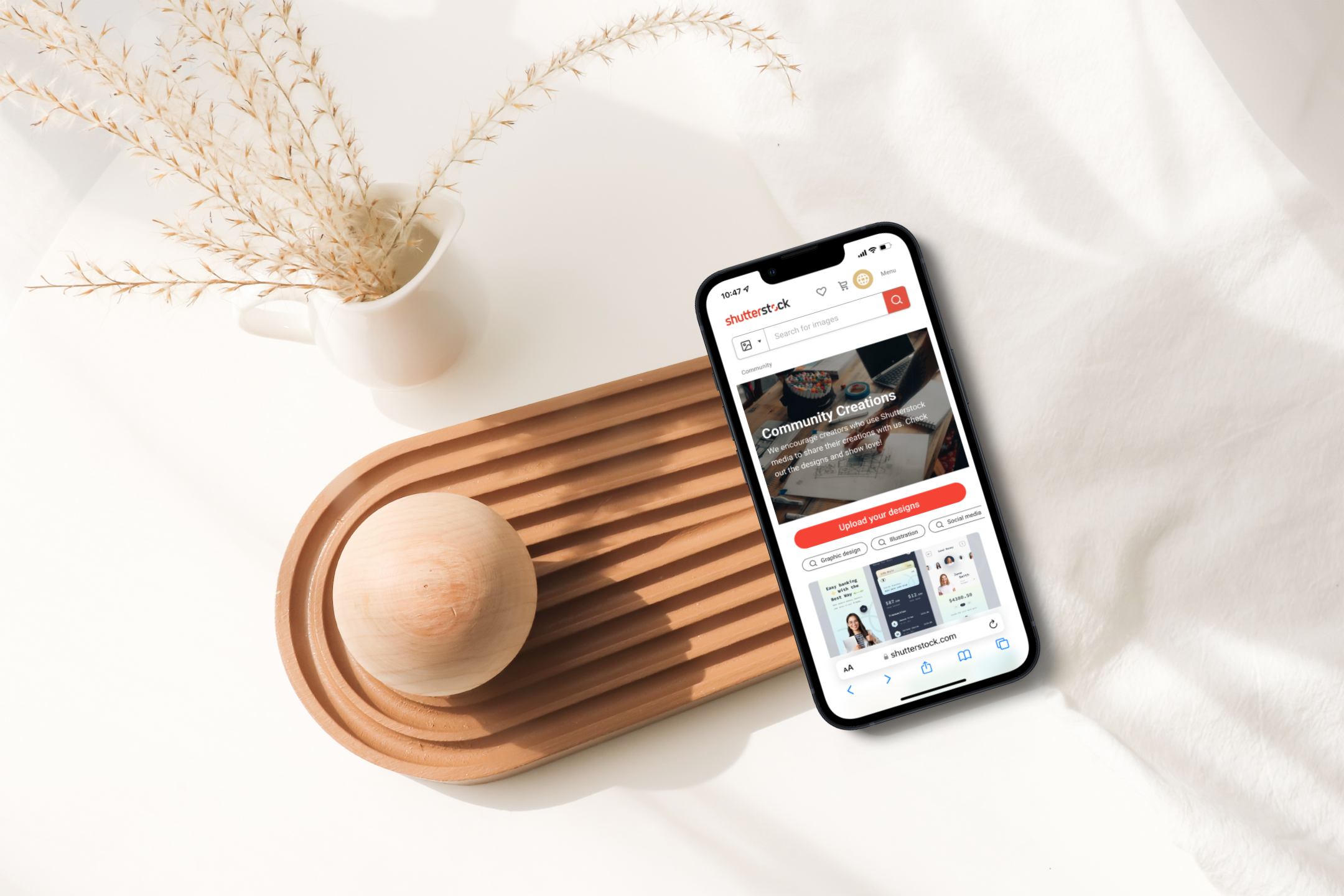
Community Creations is a feature on Shutterstock that allows creators to upload their designs, which use Shutterstock assets to inspire others. Visitors of Community Creations can use the designs as inspiration for their next stock media project. Designers who upload their designs get exposure and can be contacted by their next potential client.
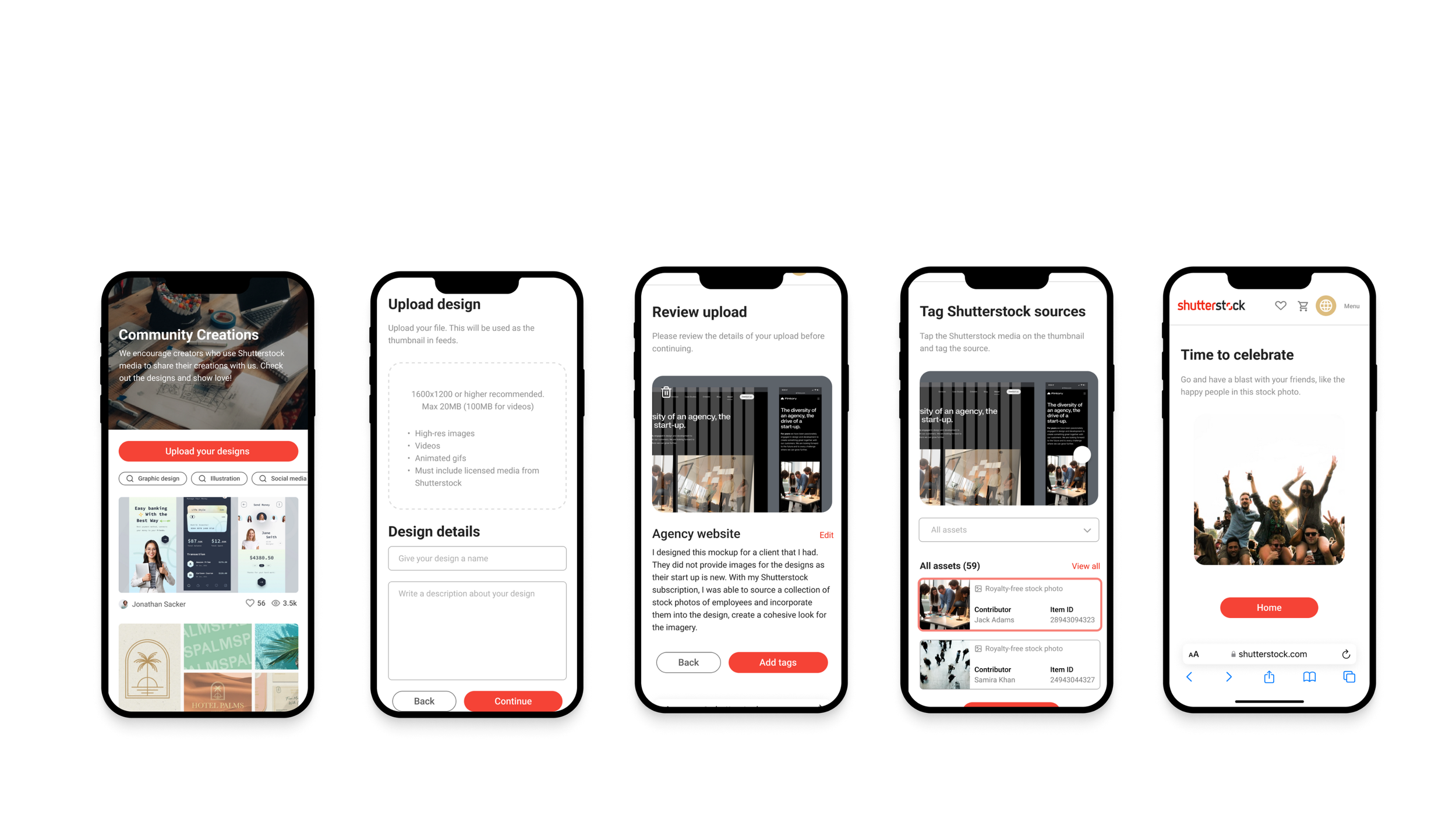
handoff
We handed off our finalized wire-frames to the web developers with notes on how each wireframe was meant to work.
View our prototype.
Key Learnings
Communication is essential for cross-functional collaboration.
Both teams had constraints that needed to be communicated.
Refining our design to incorporate these constraints and input from the web devs helped make the process more efficient.